![logo.png]](https://support.hrcloud.com/hs-fs/hubfs/logo.png?height=40&name=logo.png)
Dashboard Access & Permissions
Access to the Perform Dashboard is controlled by role:
-
HR Admin - can view all employees and has access to all active cycles and all performance data
- Manager - Can view only direct reports (employees in their reporting line) and all dashboard widgets and flyout data are scoped to direct reports only
All data in the dashboard is calculated using only active cycles and active employees.
All data in the dashboard can be filtered by position, department, location, employment status, employment type, manager, and pay rate.
Performance Overview Cards
At the top of the Perform Dashboard, four stat cards are displayed in a fixed order:
- Reviews to Complete
- Overdue Reviews
- Due Soon
- Unassigned

Alerts and Signals
The Alerts and Signals section of the Perform Dashboard highlights key risks and performance insights across active cycles. It is split into three widgets: Critical, Attention, and People Insights.
All data is based on active cycles and active employees only, and is scoped according to user access (HR Admin or direct reports for Managers).

Active Cycles
The Active Cycles widget shows all performance cycles that are currently running.
It only includes:
- Active cycles
- Active runs within those cycles
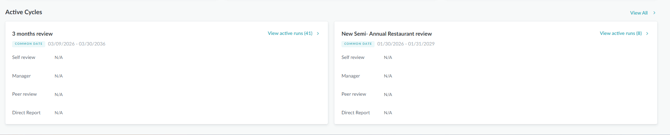
By clicking the “View Active Runs” button, you can see all active runs for that cycle
Goal Progress
The Goal Progress section provides a breakdown of goals based on their current status. Goals are grouped into four categories:
- Not Started – Goals with no recorded progress.
- Off Track – Goals that are behind expected progress.
- On Track – Goals progressing as expected.
- Completed – Goals that have been fully completed.
Selecting a category displays the associated goals along with key details such as the assignee, related review cycle, and due date. This allows managers and administrators to quickly identify goals that may require attention and monitor overall goal progress across the organization.
.png?width=670&height=371&name=image%20(65).png)
Recent Activity
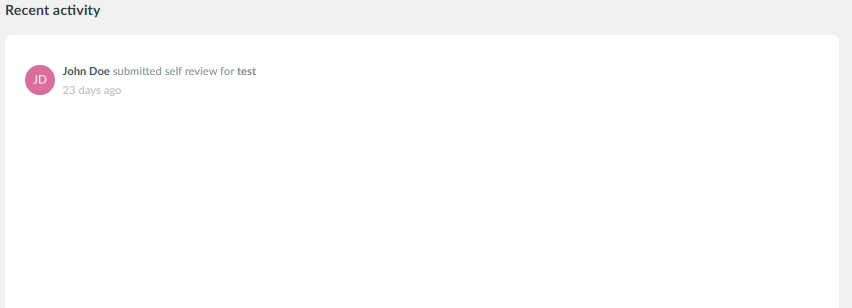
The Recent Activity widget displays a chronological list of the most recent performance-related activities within the current dashboard scope.