![logo.png]](https://support.hrcloud.com/hs-fs/hubfs/logo.png?height=40&name=logo.png)
Enable the Buddy Program
Before assigning buddies, make sure the Buddy program is turned on in the onboarding settings.
- Open Settings.
- Select Onboard.
- Turn the Buddy Program toggle on.
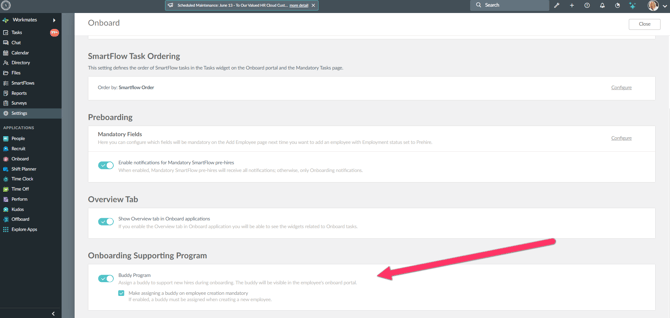
Once enabled, the Buddy role will be available for task assignments and bulk actions.
Additionally, you can choose whether assigning a buddy will be mandatory upon employee creation or not.
Assign a Buddy to New Hires upon creation
You can assign a buddy to a new hire while creating their profile.
.png?width=670&height=318&name=Snip%20-%20Employee%20Add%20-%20Google%20Chrome%20(4).png)
Assign a Buddy to Employees
You can assign a buddy to multiple employees at once using the Bulk Assign Buddy action.
Steps to assign a buddy:
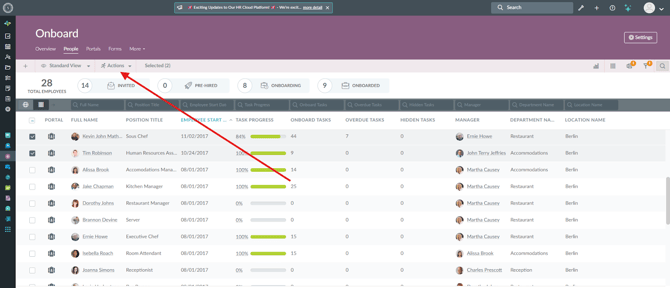
- Navigate to the People tab in the Onboarding App.
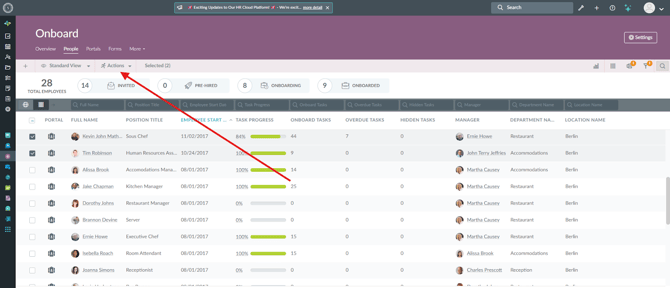
- Select the employees you want to update (maximum 100 employees at a time), and click Actions.
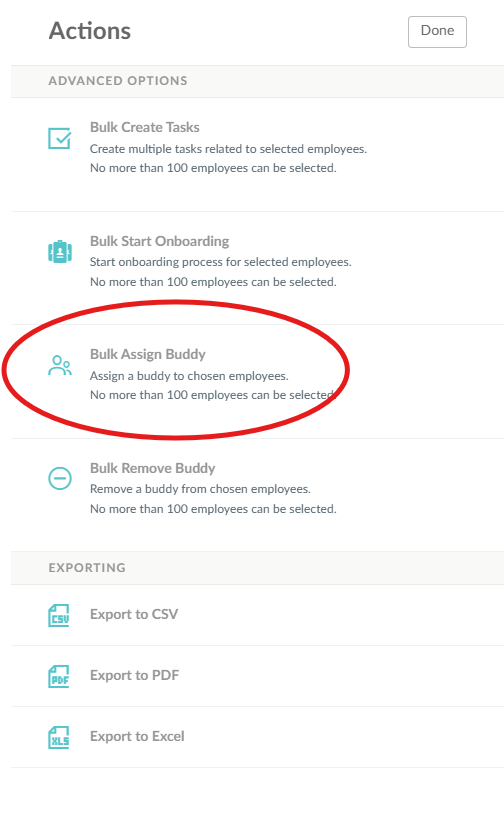
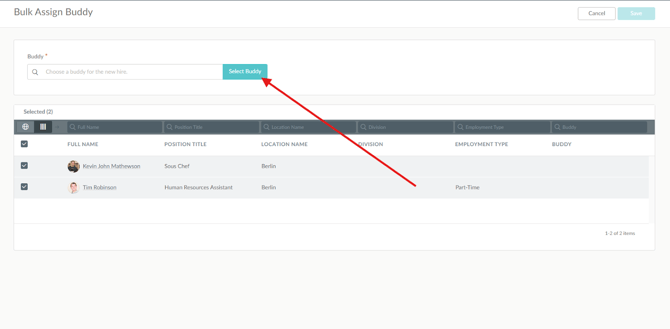
Once assigned, the selected buddy will be linked to the chosen employees and can start receiving tasks assigned to the Buddy role.
Remove Buddies in Bulk
Administrators can also remove buddies from multiple employees at once using the Bulk Remove Buddy action.
Steps to remove buddies:
- Go to Onboard → People.
- Select the employees you want to update (maximum 100 employees at a time), and click Actions.
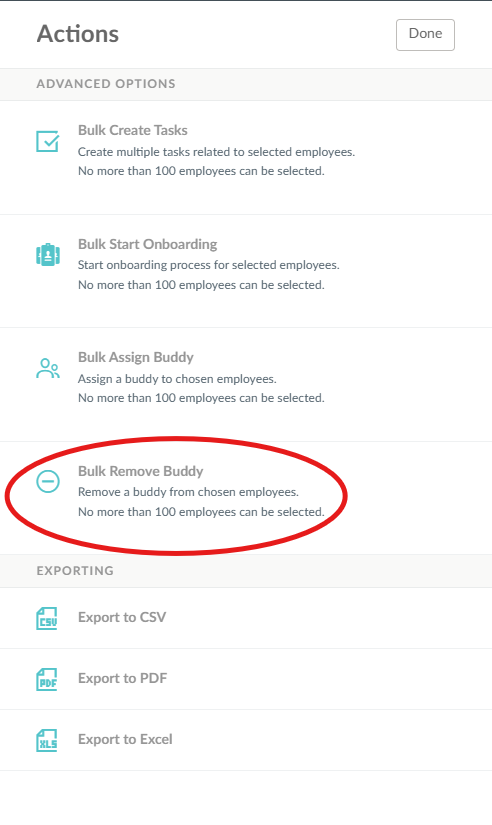
After removal, buddies are unassigned from the selected employees, the change is reflected in the Onboard portal and People grid, and notification emails are sent automatically to both the employees and the removed buddies.
Assign Tasks to the Buddy Role
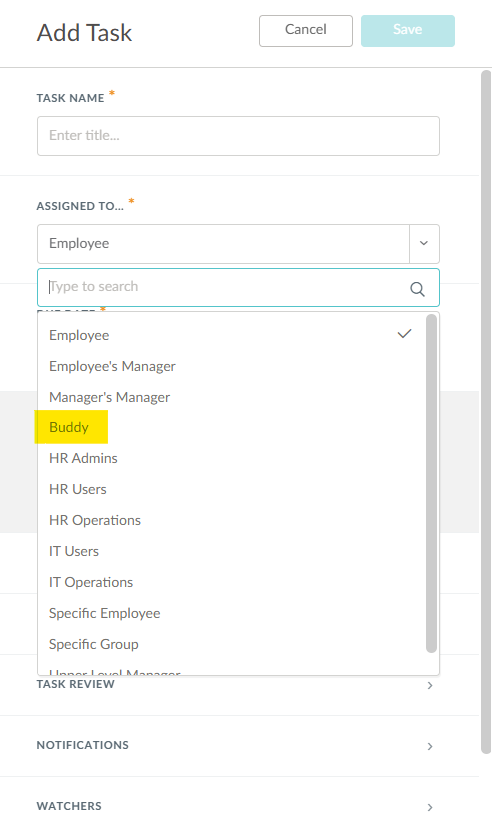
Tasks can be assigned directly to the Buddy role instead of selecting individual users. This ensures that any task or SmartFlow module is automatically assigned to the employees’ current buddies.
To assign a task to Buddy, simply select Buddy in the Assigned to field of the task builder.
Important Note:
If a Buddy is not assigned to the employee, the task will automatically be assigned to HR Admin instead.